Current badge status
Roblox returned no public universe badges for INFs ADMINS in SAE on September 14, 2026. In plain terms, the exact universe had no public badge list at that time. Badges can still be added later, and the game could track milestones that are separate from Roblox badges.
Use this page as a dated status check. The experience is new, and a developer can add or publish badges after launch without changing the game’s Place ID.
Roblox badges versus in-game achievements
These systems can look similar but are not interchangeable:
| System | Where you see it | What confirms it |
|---|---|---|
| Roblox badge | Roblox experience or badge page | Public badge name and badge ID |
| In-game milestone | A menu, popup, or progress panel | Exact objective and completion state |
| Leaderboard rank | A board or live ranking | Position and measured stat |
| Admin effect | A command or temporary server action | Visible result in the current server |
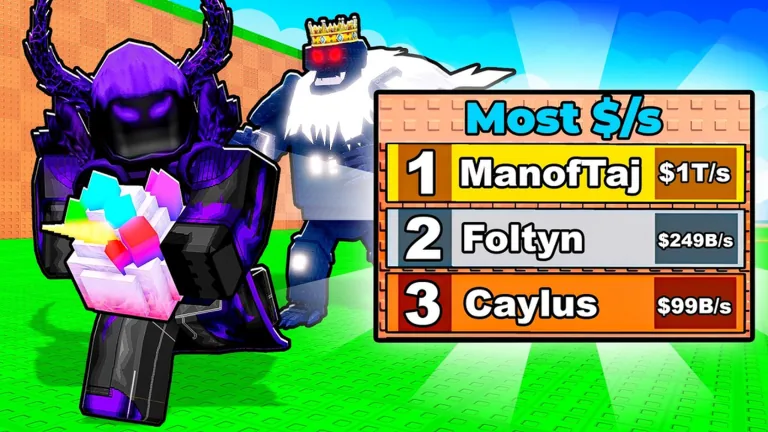
The cover’s Most $/s leaderboard is a visible ranking element, not proof of an achievement reward. Reaching a position on a board does not automatically grant a Roblox badge unless the game publishes one and awards it.
How to check whether badges were added
- Open the official experience with Place ID
136398881015015. - Check the Roblox page for a Badges section.
- Open each badge entry and record its name, description, badge ID, and date checked.
- Join a fresh server and look for an achievement or milestone panel.
- Match any in-game badge icon or title to the public Roblox entry.
Do not rely on badge lists for another SAE-titled experience. Universe IDs and Place IDs keep similarly named games separate.
How to test a badge safely
Start with ordinary actions that do not risk currency or progress. If a badge says to join, reach a visible area, or perform a clearly described action, note your starting state and attempt it once. Wait for the Roblox notification and then check your inventory.
Avoid destructive guesses. Do not reset progress, spend rare currency, transfer valuable items, or trigger unknown admin commands just because a badge title suggests an objective. Wait until the requirement is described by the game or can be tested with a low-risk action.
What to record for this page
A useful badge entry should include:
- public badge name and ID;
- exact requirement text;
- date it was visible;
- whether the badge is enabled;
- a safe sequence for completing it;
- any server-version or timing condition;
- the confirmation shown after completion.
If the public list remains empty, keep a dated sentence instead of padding the page with guessed achievements. That makes future changes obvious and prevents players from chasing tasks that do not exist.
Troubleshooting a missing award
First confirm you completed the objective in the correct experience. Then wait briefly, check the badge page, and rejoin once. If the badge is public but not awarded, compare its enabled state and requirement text before repeating the task. Some notifications can be delayed, while a disabled badge cannot be earned normally.
Never use an executor or script to force a badge. Besides the account risk, it does not establish the legitimate completion route and can corrupt any test of the game’s real behavior.
FAQ
Does INFs ADMINS in SAE have Roblox badges?
No public universe badges were exposed in the September 14, 2026 check. This status can change if the developer adds them later.
Is the Most $/s leaderboard an achievement system?
It is a ranking display in the official cover. It only becomes a badge objective if a matching public badge or in-game requirement confirms that connection.
How do I know a badge belongs to this game?
Open it from the exact experience page and match the Place ID or universe relationship, rather than relying on a similar title.
Can hidden achievements exist without Roblox badges?
An experience can track internal milestones separately. Check its own menus, but do not call them Roblox badges unless public badge entries exist.
What should I do if a new badge does not unlock?
Confirm the requirement, enabled state, exact game identity, and server version; then rejoin once before reporting the issue.